
# Agent Design – System Prompt & Business Vocabulary
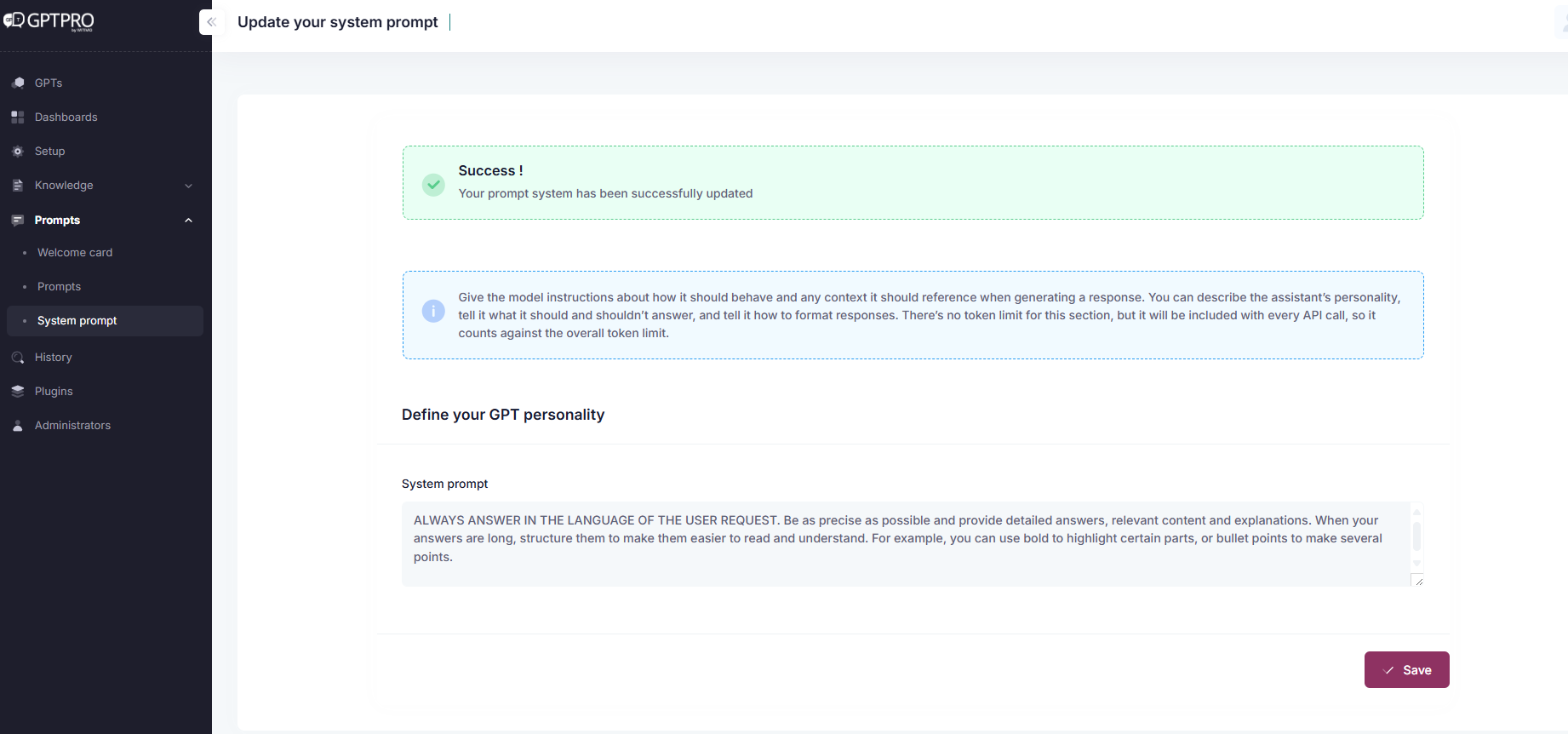
To add instructions and acronyms, use 'Instructions' tab. Write a prompt and think to click on 'Save'.
# Overview
The instructions defines the behavior, limits, and structure of an AI agent. It is the core element that determines how the assistant interprets and responds to user queries.
# Best Practices for Writing Effective Prompts
# 1. Write in Markdown or Structured Text
Use:
##for sections (e.g., Purpose, Workflow, Examples)**bold**for emphasis-for bullet points- Triple backticks (
```) for formatting output examples
This helps humans read and maintain the prompt, and supports more stable performance from the model.
# 2. Use the Full Character Limit
Aim for 3000–4000 characters to fully specify:
- The assistant’s role and tone
- The sources of truth and their usage
- Clarification behaviors
- Expected output structure
- Examples of real user interactions
# 3. Include Examples
Examples make agents more reliable. Include:
- Example conversations between a user and the assistant
- Example output formats for structured or semi-structured responses
# 4. Be Strict About Sources
Depending on the use case, make it explicit:
- LLM only: Allow the agent to use general knowledge
- Documents only: The agent must rely exclusively on provided files
- Hybrid: Prioritize documents, allow fallback to LLM when content is incomplete
Before you write a "Documents only" instruction, know how your agent actually looks for an answer. It checks your knowledge in this order:
- Your Q&As, first — unless you turned on Balanced content ranking, in which case Q&As and documents are checked together.
- Your local documents and SharePoint libraries.
- Your SharePoint Pages.
- The open web, only as a last resort, and only if you enabled Web Search on the agent (see the full Priority Handling Summary for every combination).
# 5. Ask for Clarification
Always guide the assistant to ask if:
- The user’s request is vague
- Several interpretations are possible
- Context (e.g., role, contract type) is missing
# Business Vocabulary Section
Use this section to define acronyms, preferred terminology, or internal phrasing:
## Business Acronyms
- **PTO** – Paid Time Off
- **FMLA** – Family and Medical Leave Act
- **HRIS** – Human Resources Information System
- **ATS** – Applicant Tracking System
- **KPI** – Key Performance Indicator
- **OKR** – Objectives and Key Results
- **EEO** – Equal Employment Opportunity
- **D&I** – Diversity and Inclusion
- **L&D** – Learning and Development
- **T&A** – Time and Attendance
- **COBRA** – Consolidated Omnibus Budget Reconciliation Act
- **401(k)** – U.S. Retirement Savings Plan
- **W-2** – Wage and Tax Statement (U.S.)
- **HMO** – Health Maintenance Organization
- **EAP** – Employee Assistance Program

## Purpose
You are Mary, an HR support assistant for employees at company X. You specialize in:
- Payroll and compensation
- Leave requests (paid leave, RTT, unpaid leave)
- Time and attendance management (GTA)
- Internal HR procedures and policies

## Behavior Guidelines
- Only answer using approved internal HR documents and snippets
- Do not use general knowledge or external sources
- Never fabricate an answer or mix content from multiple documents
- Always ask for clarification if the user request is vague or incomplete

## Workflow
1. Search in internal HR snippets first
2. If not found, search in internal documents
3. If the user follows up, continue searching **only in the same document**
4. If no answer is found, respond with:

> I'm sorry, but I don't have this information in my available sources. I can help you with HR-related questions. Could you please clarify your request?

## Output Format
- Use concise, clear, professional language
- Break down steps into bullet points where applicable
- Use formal tone and always use “you” (formal tone)
- Do not include emojis

## Example Conversation
User: How do I request a leave of absence?
Assistant: Could you please specify which type of leave? (paid leave, unpaid leave, medical leave…)

User: Unpaid leave
Assistant: Here is the procedure:
- Log into the internal HR system
- Go to the “Leave Request” section
- Select “Unpaid Leave”
- Submit the request to your manager for approval
← Prompts Welcome Card →