# Setting up a welcome card
# What is a welcome card?
A welcome card is an intuitive, interactive prompt shortcut that greets users when they access the AI desk Pro chatbox. It provides an array of quick-start options designed to help users navigate the service, whether they want to understand a concept, create content, or explore resources. It streamlines the user experience by offering suggestions that help users immediately leverage the capabilities of AI desk Pro.
# How does a welcome card work?
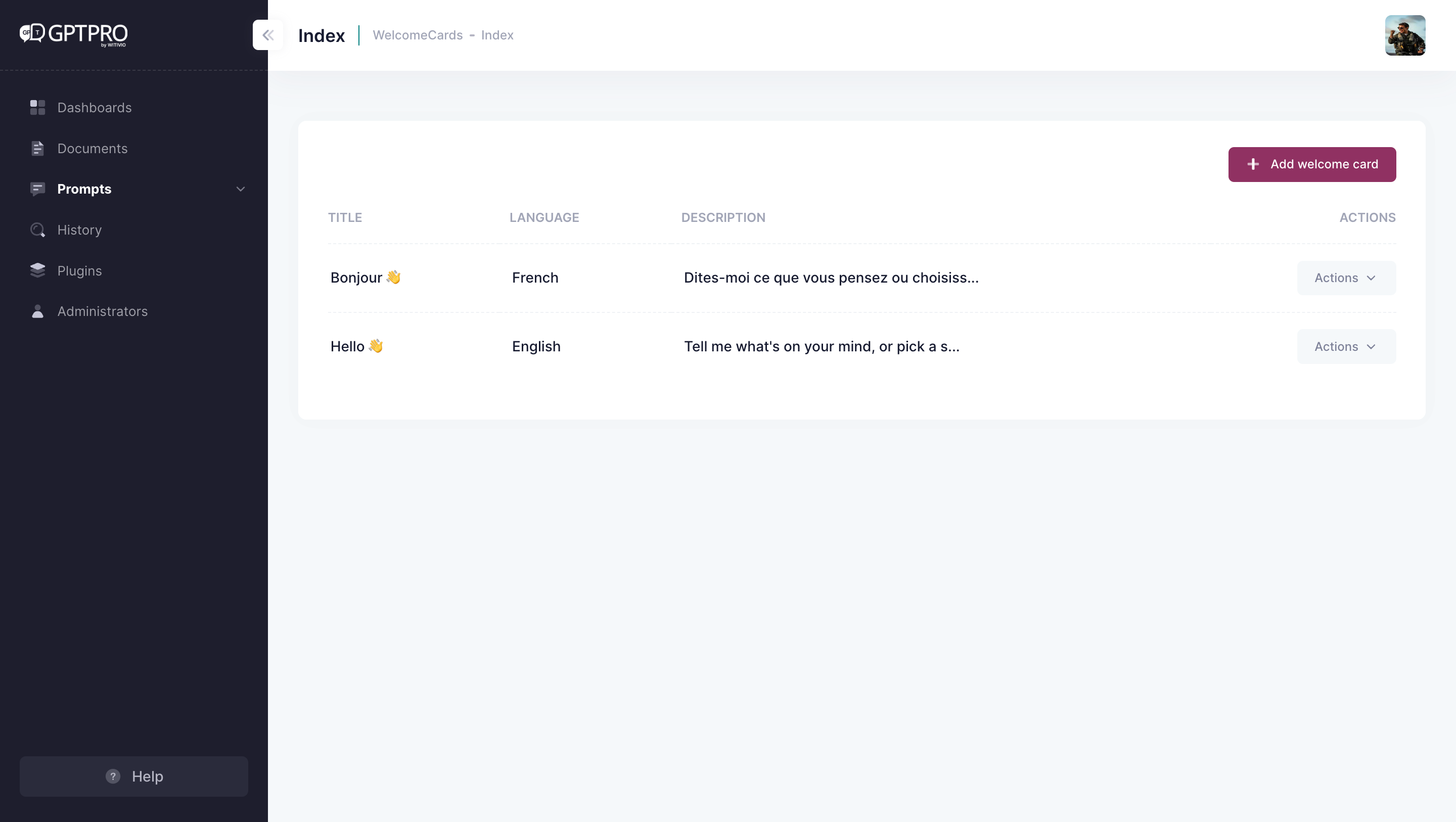
To manage your welcome card, click Prompt in your admin center navigation bar, then Welcome Card in its sub navigation bar. When you register to AI desk Pro, two welcome cards are set up automatically as a default model. Both versions are in French and English. The welcome card's language follows the language set on the user's Microsoft Teams.
# How to set up a new language for the welcome card?
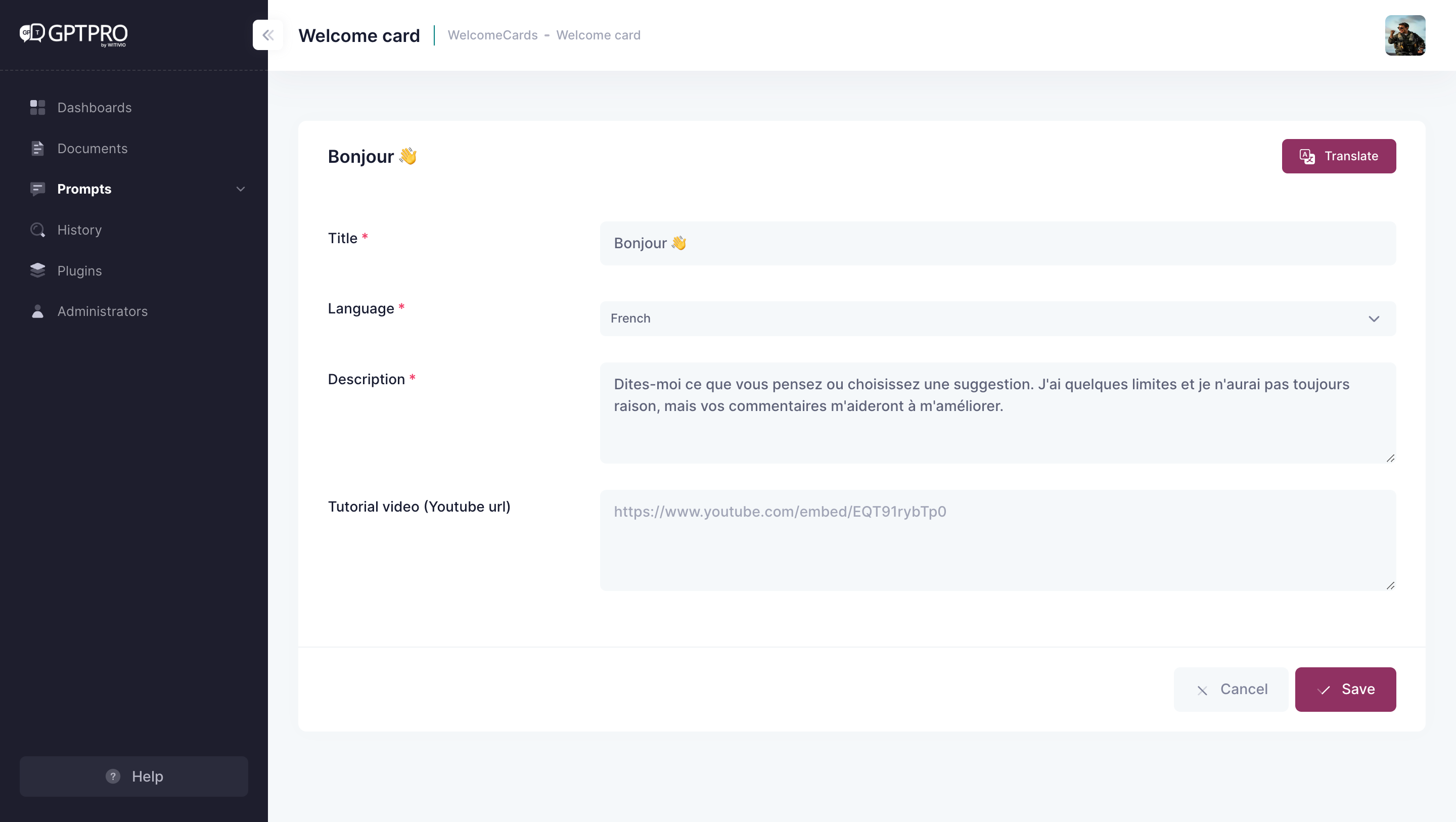
To set up a new language for a pre-existing welcome card, click the translate button, or create a new welcome card by clicking the Add Welcome Card button and set it up in another language.
# Define the AI chatbot's personality
# Advanced personalization through the system prompt
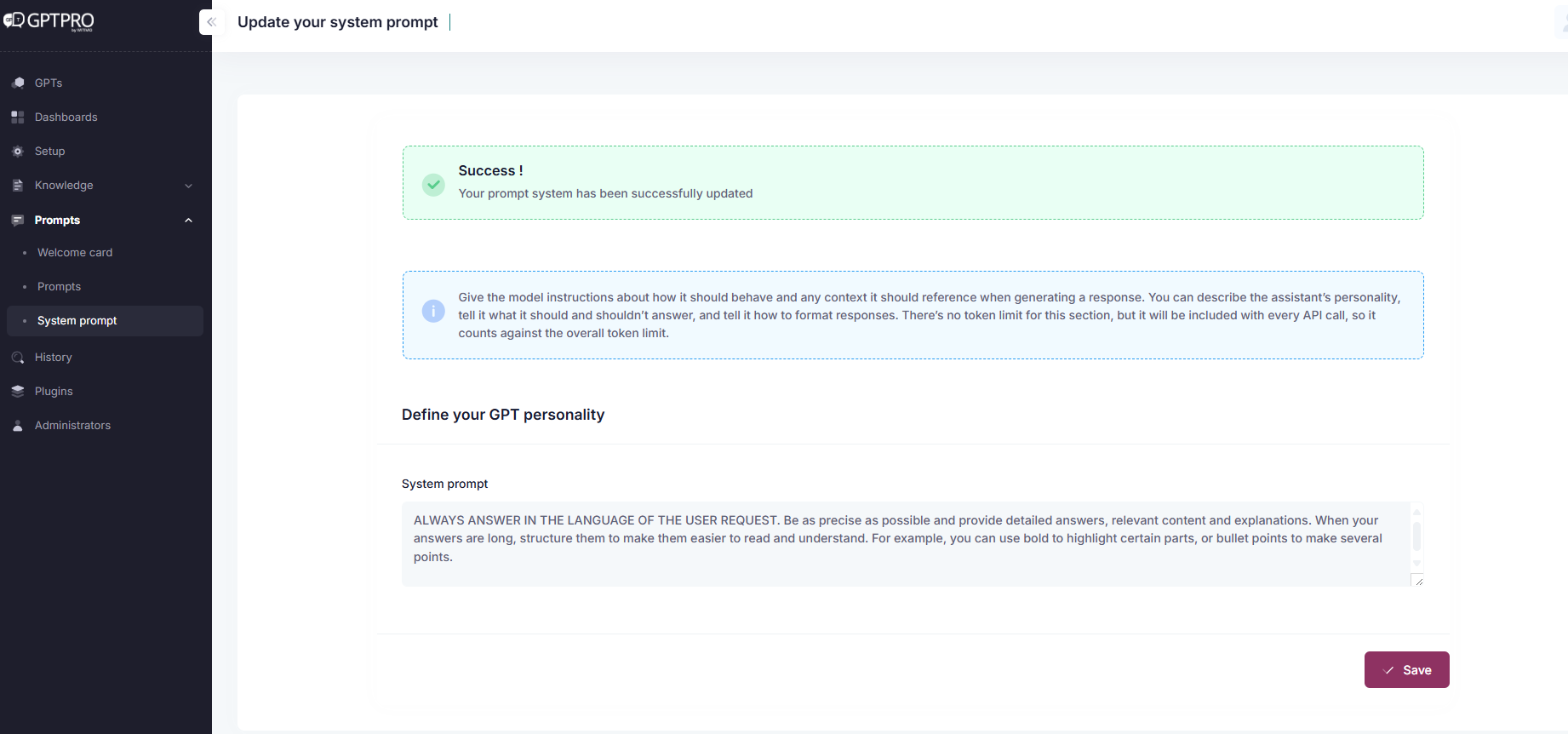
Better craft your AI chatbot's personality by giving it instructions about how it should behave and by explaining the contexts it should reference when generating a response. To do this, access Prompt in the admin center navigation bar, then head to System Prompt on the sub navigation bar.