
# Edit or modify an event in Booking Room Pro
Plans change, so any booking you own can be updated after it is created. Editing an event lets you move it to a new time, switch the reserved room, adjust the participant list, or correct its details in your shared Booking Room Pro calendar in Microsoft Teams. The change is saved to the shared calendar and reflected for everyone right away.
# Edit a booking
- 1
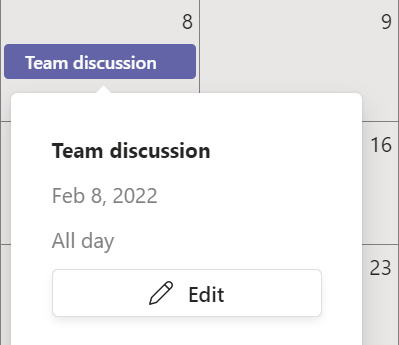
Open the Booking Room Pro tab and click the event you want to change in the calendar.
- 2
Click the edit icon to open the booking form.
- 3
Update any field you need: Title, Room, Participants, Start Date, End Date, Timezone, or Description.
- 4
Click Save. The updated booking appears immediately for everyone in the channel.
Who can edit bookings depends on the calendar permissions. The owners-only edit permission is a Booking Room Pro Premium option. See how to change edit permissions.