
# Get the Contacts Pro tab ID
Every Contacts Pro tab has a unique identifier. You need this ID when you contact support, manage your license, or connect the tab to another Witivio app. This page shows you where to find it and how to copy it.
# Find the unique identifier
- 1
Open the Contacts Pro tab in Microsoft Teams.
- 2
Click the Help icon in the top-right corner of the tab.
- 3
Select About from the menu.
- 4
In the dialog, find the Unique identifier, then click the copy icon next to it.
The About dialog also shows the app Version and who the tab was Created by.
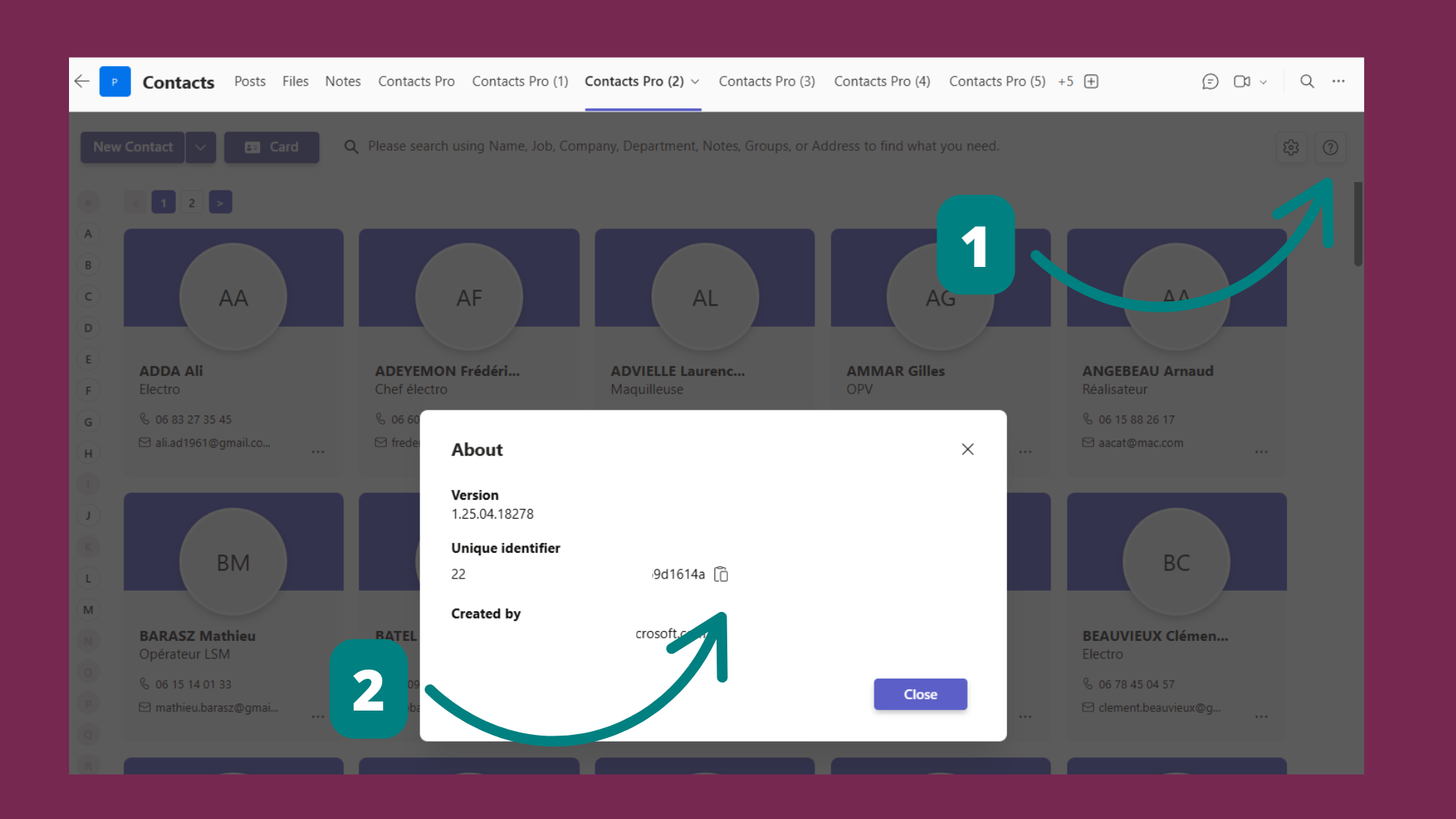
Keep this identifier handy when you open a support request. It helps our team find your tab and its data quickly.
# Related pages
- Connect the tab to another app with how to connect Contacts Pro with Map Pro.
- Not set up yet? See how to install Contacts Pro.