
# Find the Booking Room Pro tab ID and event ID
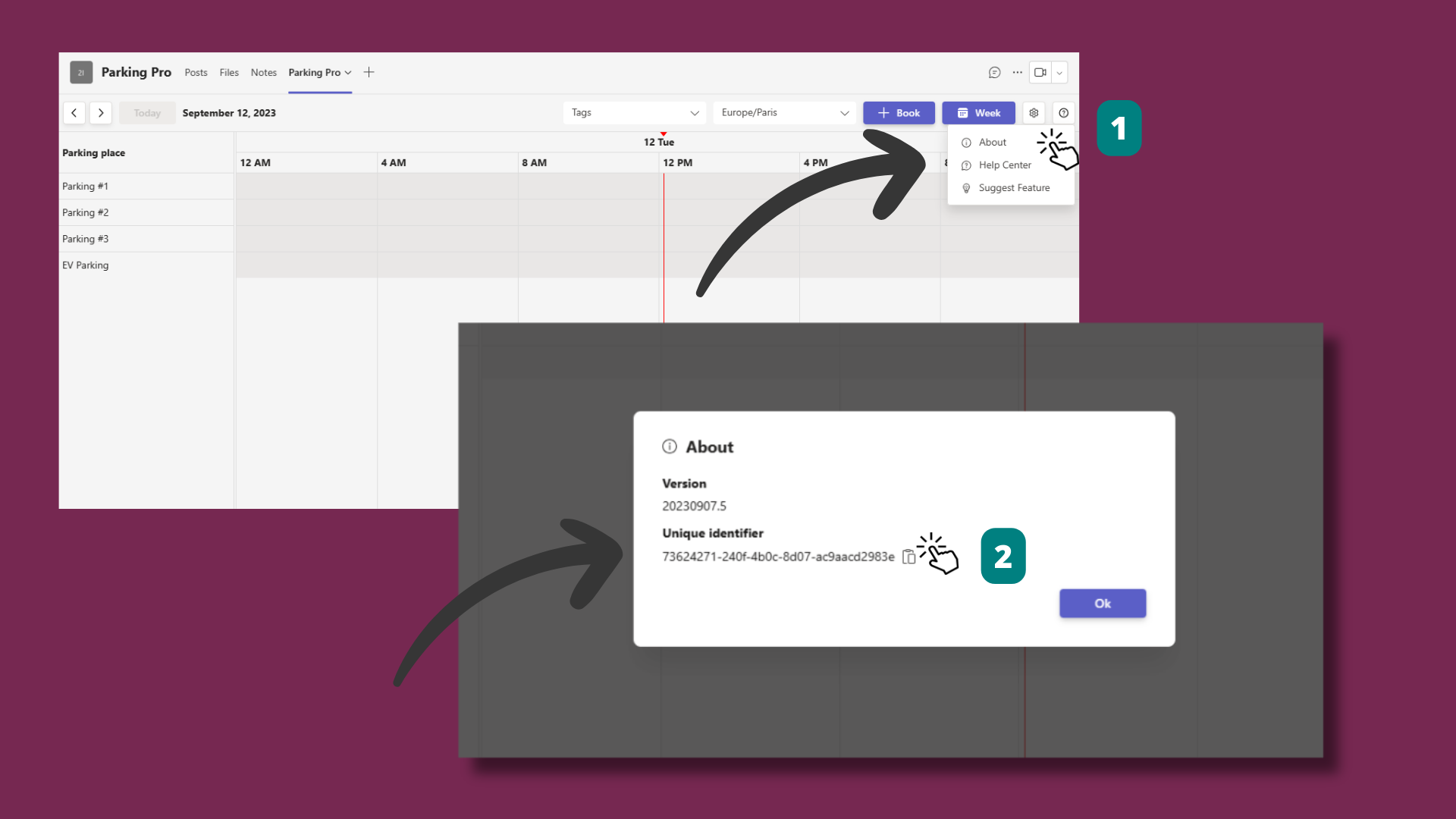
Every Booking Room Pro tab and every booking has a unique identifier. You use the tab ID when you connect Booking Room Pro to another Witivio app or contact support about a specific calendar, and the event ID when you need to reference a single reservation. This page shows where to find both inside Microsoft Teams.
# Find the tab ID
# Find the event ID
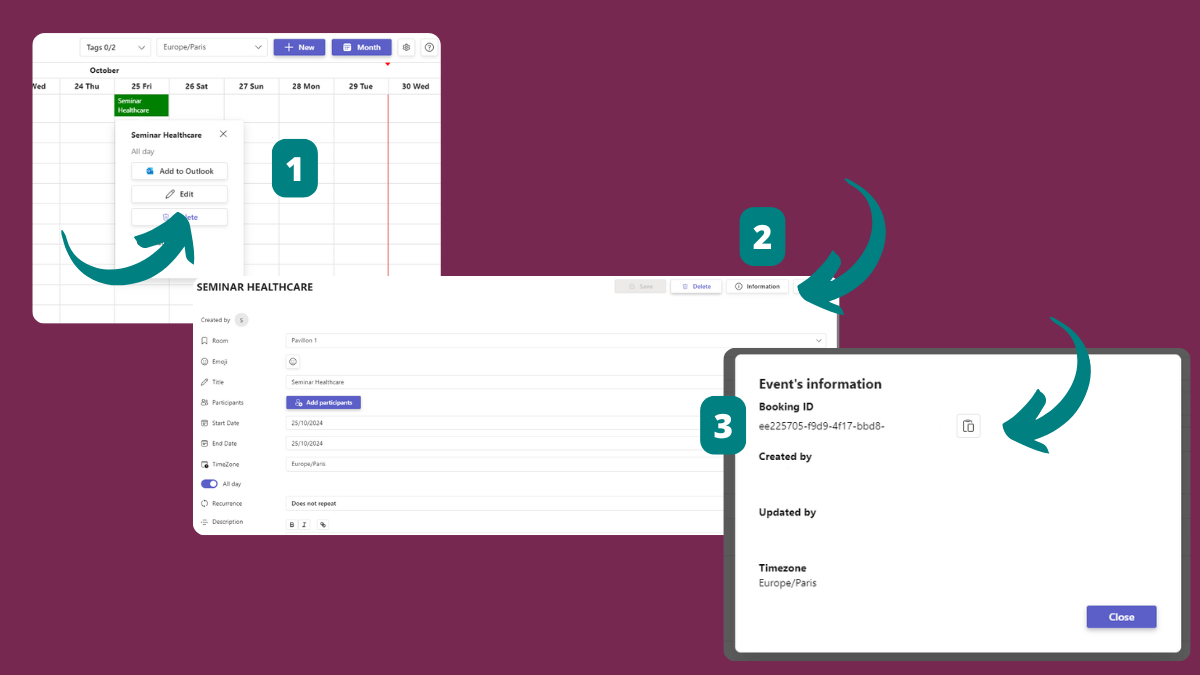
The Information panel also lists the Serie ID for recurring bookings, plus Created by, Updated by, and Timezone. See get the event info.