
# Copy your Map Pro ID
Every Map Pro tab has a unique identifier, also called its ID. You copy this ID when you connect Map Pro to another Teams Pro app or when you contact support about a specific map. The ID lives in the About dialog, and a copy button places it on your clipboard so you do not have to type it by hand.
# Copy the unique identifier
- 1
Open your Map Pro tab in Microsoft Teams.
- 2
Click the Help icon (the question mark) in the top-right corner of the tab.
- 3
Select About from the menu.
- 4
In the About dialog, find the Unique identifier.
- 5
Click the copy icon next to the identifier. A Copied! confirmation appears.
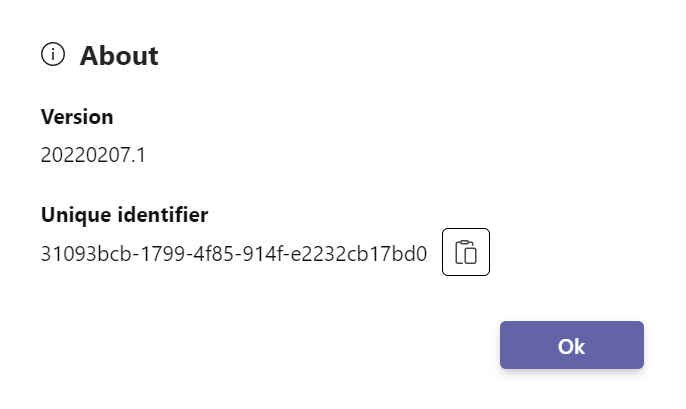
Once copied, paste the identifier into the Unique identifier field when you connect another Teams Pro app to Map Pro.