
# Check the Parking Pro version
Knowing your Parking Pro version helps when you contact support, report an issue, or confirm that a recent update reached your tab. The version is shown in the same About dialog as the unique identifier, so it takes just a couple of clicks to find.
# Get the version number
- 1
Open the About dialog
- In the Parking Pro tab, click the Help question mark icon next to the Settings gear.
- Select About.
- 2
Read the version
- The About dialog shows the current Parking Pro Version.
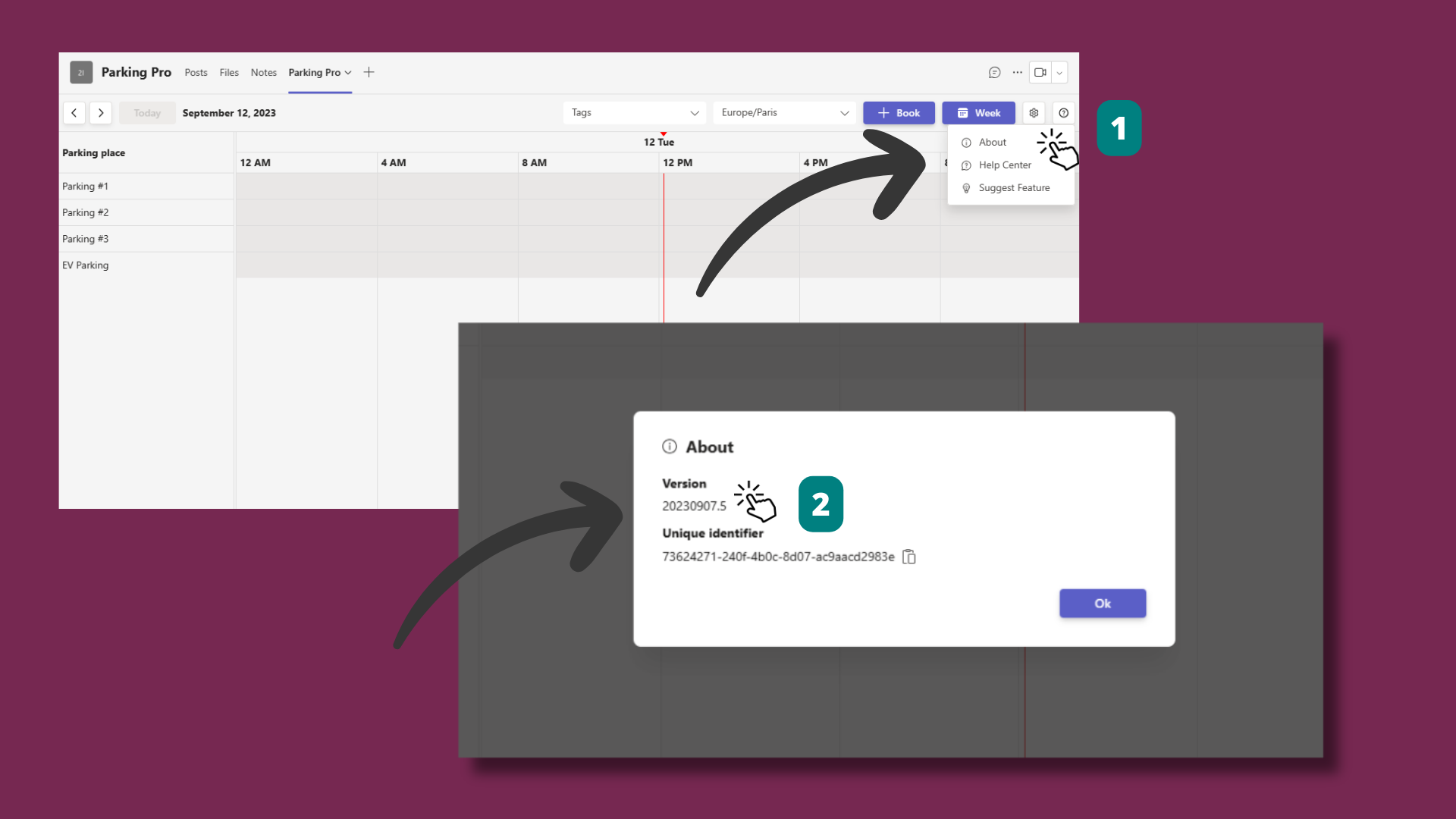
The About dialog also shows your unique identifier and whether Parking Pro Premium is active, so it is a quick way to confirm your setup before reaching out for help.