
# What's New in Calendar Pro
The latest features and improvements in Calendar Pro, newest first.
# Event title hover preview 🖱️
See the full meeting name at a glance, with no extra clicks. When you hover over an event in the calendar, a tooltip shows the complete title, even if it is truncated in the grid.
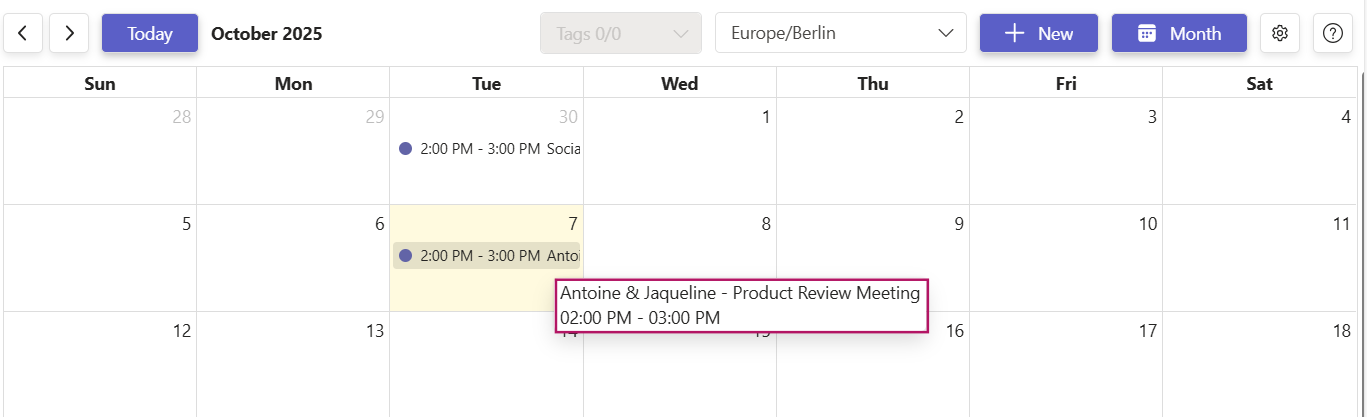
- Faster scanning: identify the right meeting without opening the event.
- Less friction: ideal for long, descriptive titles that do not fit in the cell.
- Works where you plan: available in Month, Week, and Day views.
How to use it: move your cursor over the event title and the full text appears in a tooltip.
Availability: included for all Calendar Pro plans, no setup required.
# September 24, 2026
# What's fixed 🛠️
# The upgrade dialog now offers Premium to Free-plan users
When you are on the Free (Basic) plan and you open a feature that needs a paid plan, the in-app upgrade dialog now offers Premium, the plan that actually unlocks that feature. It previously offered Platinum, a higher plan than you need.
Where you see it: recurring events, tags and emoji, sharing, printing, and event location.
What the dialog shows: an Unlock Premium offer with three highlights, Recurring events, Tags and emoji, and Share and print, followed by an Upgrade Premium button.
If you are already on Premium: nothing changes. You still see the Unlock Platinum offer, because the capabilities left to unlock, such as the Meeting Scheduler and calendar-to-calendar synchronization, are Platinum only.
Plan contents did not change, only the offer shown in the dialog. Compare plans on the pricing and subscription page.
# April 28, 2026
# What's improved ✨
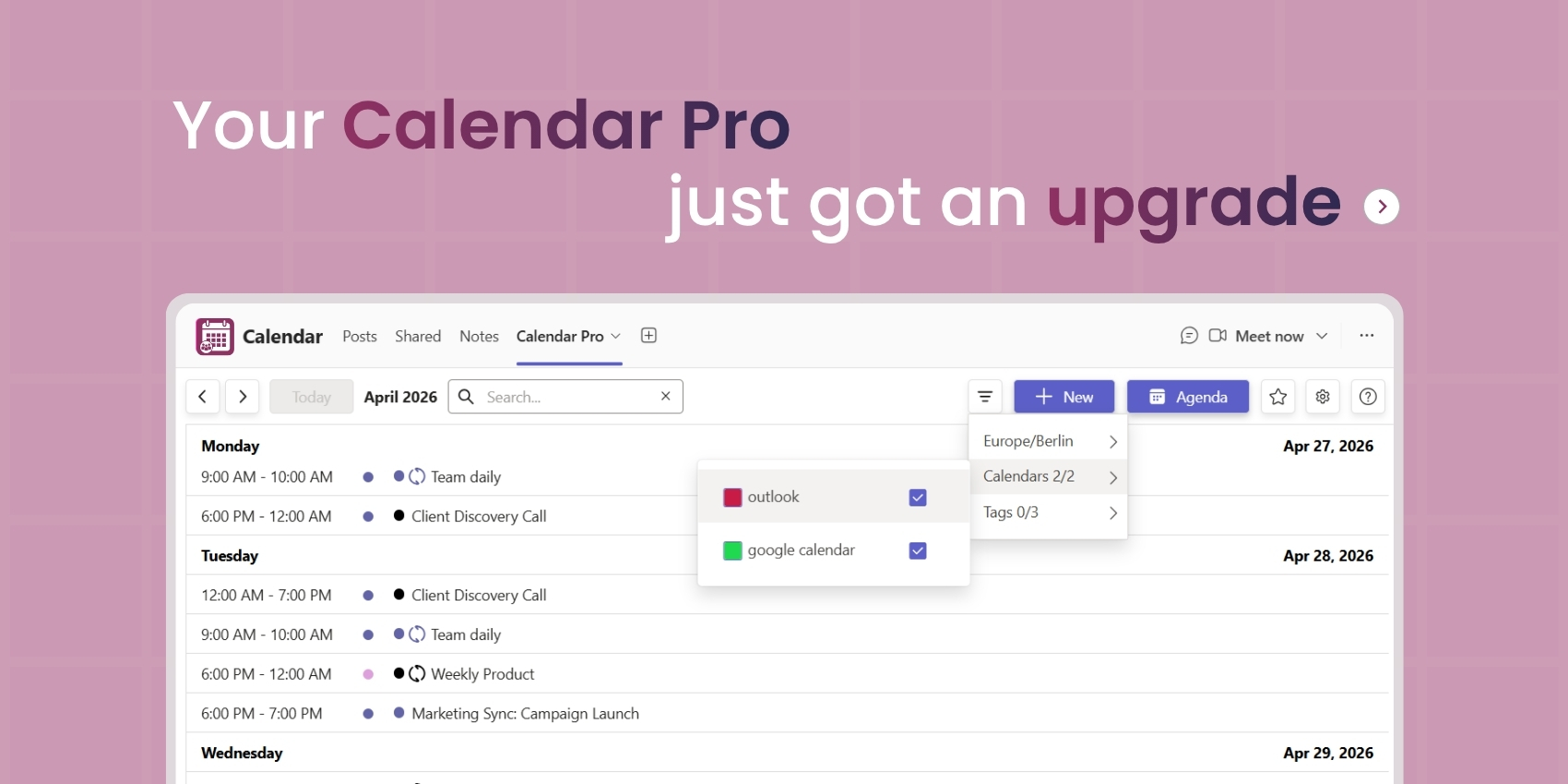
# Cleaner navigation with centralized filters
We simplified the interface by grouping all filters in a single place.
How to access it: click the filter icon in the navigation bar.
You'll find:
- Tags
- Synchronized calendars (if any)
- Time zone settings
Everything is now centralized for a smoother, more efficient experience.
# New search experience
Finding your events is faster than ever.
How it works:
- Click the search 🔍 icon to open the search bar.
- Type the name of your event to launch the search.
Instantly reach the events you are looking for without manual navigation.
# New Agenda view
A new way to visualize your schedule with the Agenda view.
How to access it: open the view selector and choose Day, Week, Month, or Agenda (new).
Why it matters:
- Clear, chronological display of your events.
- Easier to scan and follow your schedule.
- Better focus on your priorities.
# Available across your apps 🔄
These improvements are also available in Booking Room Pro and Parking Pro. (The Agenda view is available in Calendar Pro only.)
# Built with your feedback 💡
This update directly addresses your feedback on usability and navigation. We'll keep improving to make your experience even better.