# How to pin Distribution Lists Pro at the Navigation Panel of your MS Teams?
Go to the AppSource > search for Distribution Lists Pro > Open. It will appear at the Navigation Panel > Right Click > Pin it.
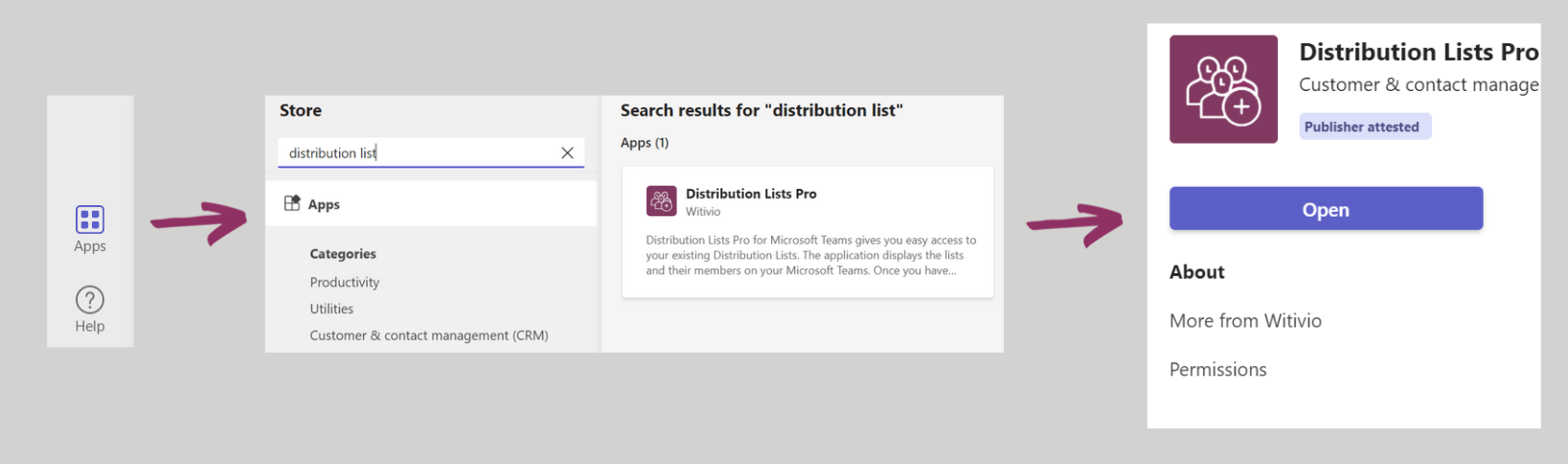
and then,
 Witivio Documentation
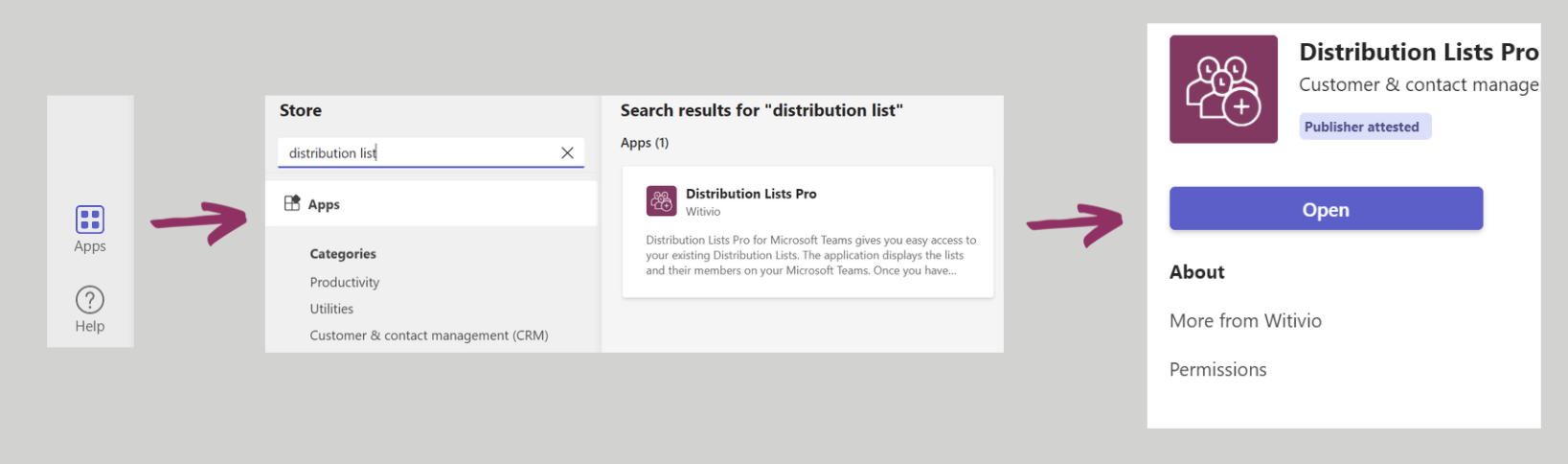
 Go to the AppSource > search for Distribution Lists Pro > Open. It will appear at the Navigation Panel > Right Click > Pin it.
and then,